

Mostbet Login in Short
| Where to log in | mostbet.com — the official website only |
| Login methods | Email · phone number · social login |
| Password recovery | By email or SMS from the login form |
| Two-factor authentication | Optional, enabled in profile settings |
| One account | Works on the site, Android app and iOS |
| If blocked | Official mobile app / alternative access |
How to Sign In — Step by Step
The whole process takes under a minute if you already have an account. The only rule that really matters: always start from a verified link, never from an ad or a forwarded message.
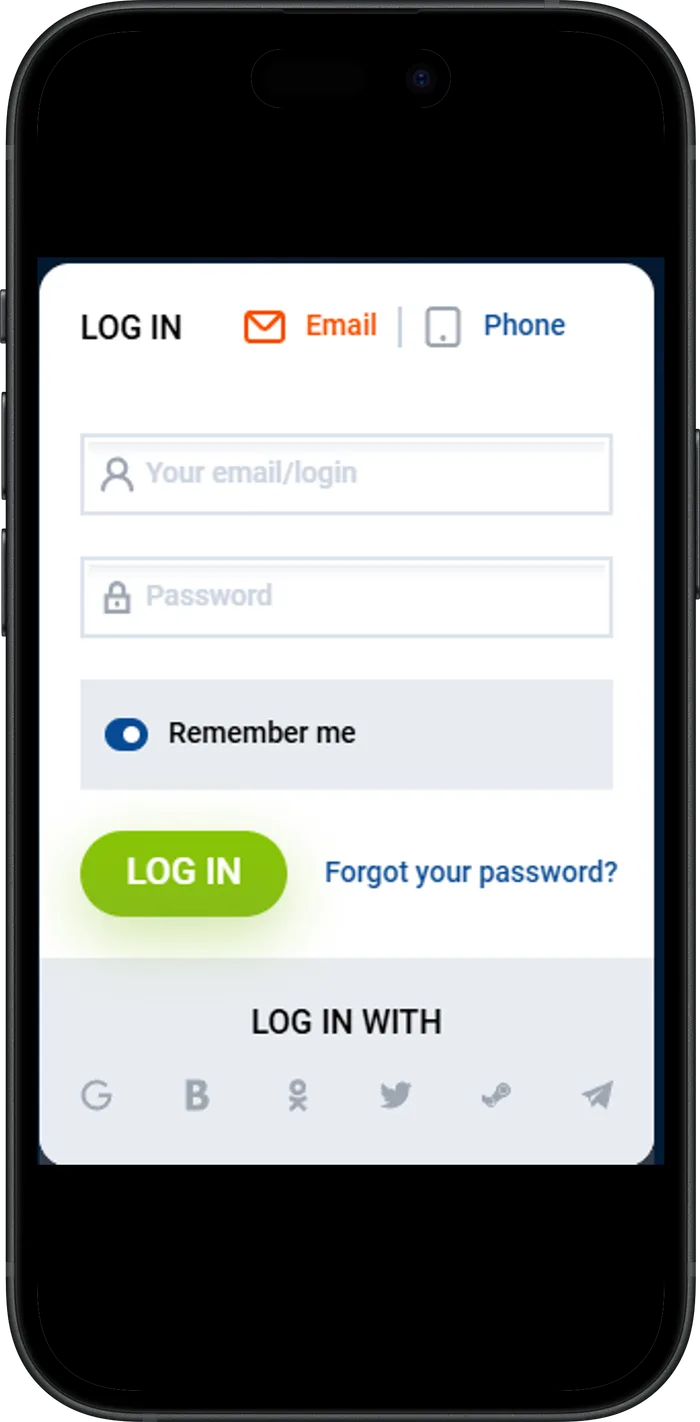
- Open the official website.Use the verified link from our homepage or your own bookmark, and check the domain spelling before entering anything.
- Press “Log in”.The button sits in the top right corner of the site, next to “Sign Up”.
- Enter your credentials.Type the email or phone number you registered with and your password. If you signed up through a social network, use the matching social login button instead.
- Confirm two-factor authentication.If 2FA is enabled on your account, enter the code — this protects the balance even if someone steals the password.
- Check your profile.After logging in make sure the balance and bet history look right; if anything seems off, change the password immediately.
Password Reset
Press “Forgot password?” on the login form. Recovery works through the email address or phone number linked to your account: you receive a code or a reset link, set a new password and get back in — active sessions on other devices are closed automatically for safety.
If you lost access to both the email and the phone, contact the operator’s support and be ready to confirm your identity: registration details, recent deposits or documents. Support restores access only to the verified owner — that is exactly what keeps your balance safe.
Account Verification (KYC)
Verification is a one-time identity check required by the licence. The operator usually asks for it before the first large withdrawal: you upload a photo of your ID and, if requested, proof of address in the profile section. Review normally takes up to 24 hours.
Verification is not a sign of a problem — it is the standard procedure that protects your money from being withdrawn by someone else. To pass it quickly, register with your real name and date of birth from the start: mismatches between profile data and documents are the main cause of delays.
Access When the Site Is Blocked
If the official website does not open in your region, the block is applied to the address, not to your account — the balance and bets stay untouched. Log in through the official mobile app for Android or iOS: it usually keeps working when the browser version is blocked and always connects to the genuine servers.
The operator also shares alternative access methods through the app and its support channels. Your login and password stay the same everywhere. Never enter them on random “mirror” sites from ads or messenger chats — the safe entry points are listed on our homepage.
Common Login Issues
Almost every failed login comes down to one of these five cases — each has a fix that takes a minute.
- Wrong password.Reset it via email or SMS instead of guessing — several failed attempts in a row can temporarily lock the account.
- Account not found.Check that you are entering the exact email or phone you registered with. If you signed up through a social network, use that social button. Do not create a duplicate account.
- The page does not load.The site may be blocked in your region — switch to the official app or alternative access.
- “Account blocked” message.Usually a rules or verification question — contact support directly; do not try to register again.
- The code does not arrive.Check spam, wait a minute and request a new one, or switch the recovery channel from SMS to email.
Login Safety
Three habits cover almost every real-world risk. First, log in only through verified links — bookmark the official site once and use that bookmark. Second, enable two-factor authentication in your profile: even a stolen password will not be enough to enter. Third, never share your password or one-time codes with anyone — the operator’s support will never ask for them.
No account yet? Registration takes about a minute — the full guide with bonus terms is in our Mostbet registration walkthrough.
FAQ
I forgot my Mostbet password — what do I do?+
On the login form press “Forgot password?” and restore access via the email or phone linked to your account. You will receive a code or a reset link, set a new password and all sessions on other devices will be closed automatically.
Why is my account asking for verification?+
KYC verification confirms your identity and protects withdrawals from fraud. Upload the requested documents in your profile — it is a standard one-time procedure that usually takes up to 24 hours.
The official site does not open — how do I log in?+
Use the official mobile app for Android or iOS, or the operator’s alternative access methods. Your login and password stay exactly the same — the block affects the address, not your account.
Can I be logged in on two devices at once?+
Yes, one account works on the website and in the apps at the same time. What you must not do is create a second account — duplicates violate the rules and both accounts can be blocked.
Gambling involves financial risk and can be addictive. This site is intended for persons 18 years or older. Availability of Mostbet depends on the laws of your country — check them before playing. If gambling stops being fun, free confidential help is available at BeGambleAware and GamCare.